MCP Server
The MCP (Model Context Protocol) Server is a smart way to connect your Large Language Models (LLMs) with our e-vignette API. This allows you to automate the process of purchasing vignettes based on user requests.
-
Add MCP Server
You can use OpenAI playground or another tool – Add MCP Server
MCP Server URLhttps://sandbox-api.vignette.id/mcpAPI Key
You can find your API key in the Partner Panel -> For Developers section. Make sure to use the
SANDBOXkey for testing purposes.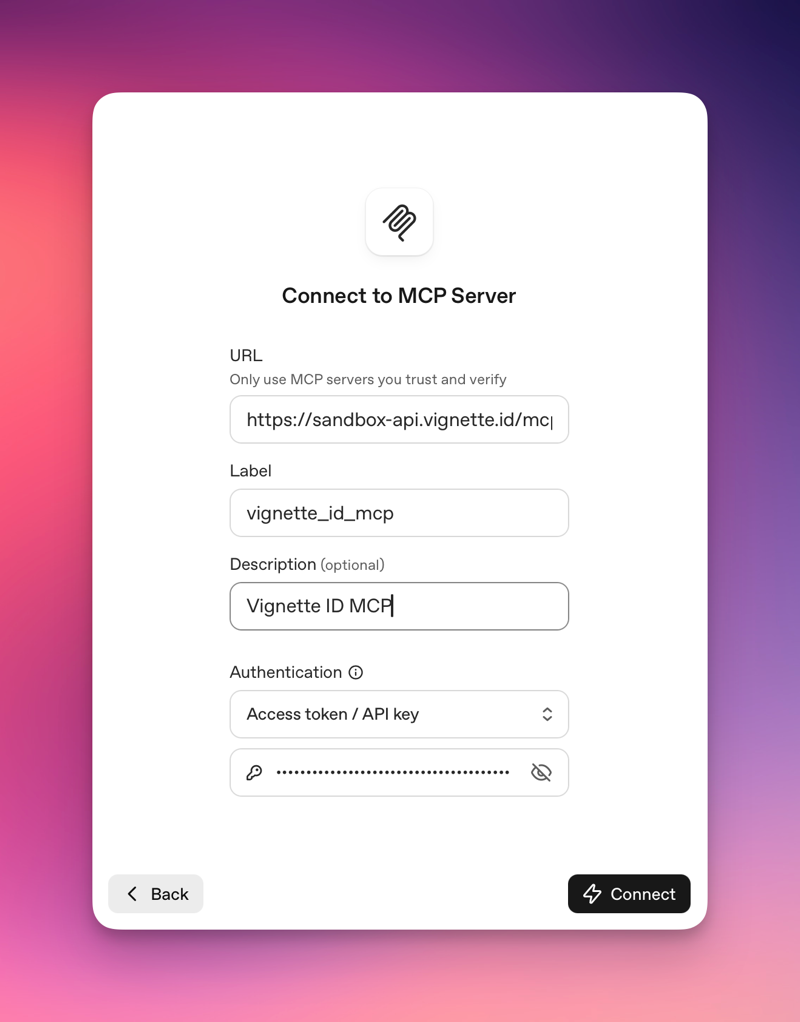
-
Define Instructions for your Agent
You can define specific instructions for your agent to ensure it understands how to interact with the e-vignette API effectively. Here are some example instructions you can use:
Code -
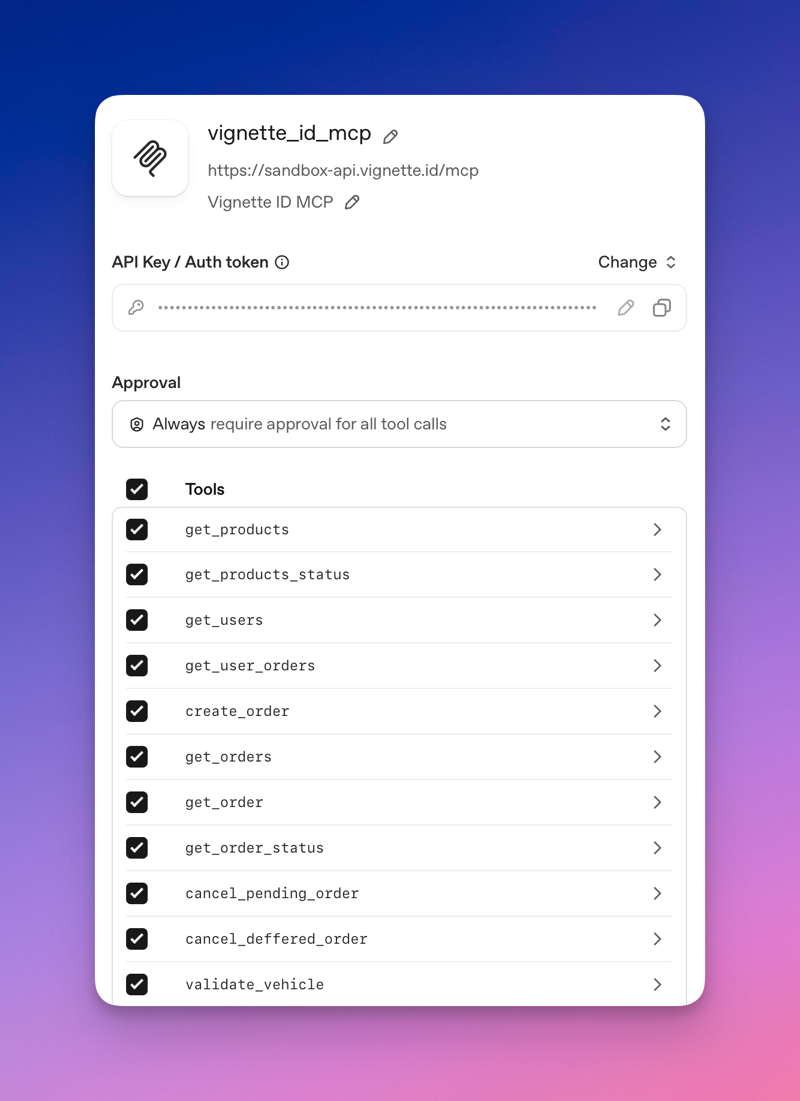
Available MCP Tools
The following tools are available through the MCP Server:
Tool Description Use case get_productsGet available vignettes, tunnels, and bridges Browse catalog by country, type, vehicle get_products_statusCheck provider status Verify if a country provider is online get_usersList partner users View all users created through your integration get_user_ordersGet orders for a specific user View order history for a user by ID validate_vehicleValidate vehicle plate number Check plate format before creating order create_orderCreate a new vignette order Purchase a vignette for a vehicle get_ordersList all orders View order history get_orderGet a specific order by ID Check order details get_order_statusCheck order status Track order progress (PENDING → ACTIVE) cancel_pending_orderCancel a pending order Cancel before activation cancel_deferred_orderCancel a deferred order Cancel a future-dated order -
Example Agent Flow
A typical vignette purchase flow through the MCP Server:
CodeSandbox vs Production
Use
https://sandbox-api.vignette.id/mcpfor testing. Switch tohttps://api.vignette.id/mcpfor production orders.